1
Kitchen layout
Pick units along the back, left and right walls in one form: straight, L or U. Countertop, cut-outs and plinth come automatically.

Build a whole kitchen in one form: 3D, a priced client quote, cutting maps, drilling and CNC files — all from one model.

A general CAD is expensive and too much for kitchens. Prices are worked out by hand in Excel, cutting is a separate job, drilling mistakes surface in the shop.
Made for cabinets and kitchens only. Change a unit and the parts, price, cutting maps and holes follow.
Pick units along the back, left and right walls in one form: straight, L or U. Countertop, cut-outs and plinth come automatically.
X-ray shows shelves, fasteners and holes. The check finds overlapping parts, gaps along a wall and parts larger than a sheet.

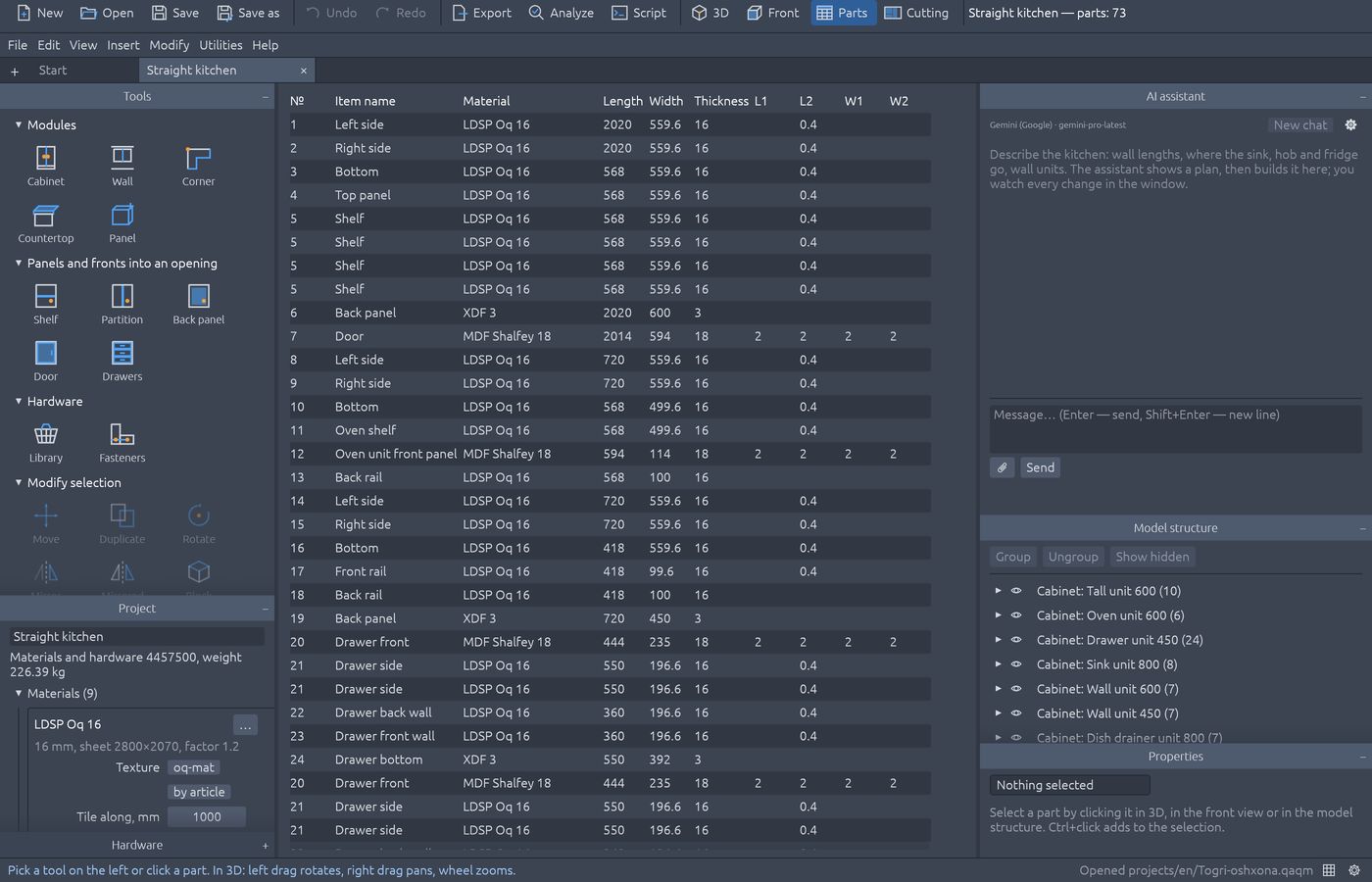
Client quote PDF, cutting maps, QR part labels, drawings, an Excel bill of materials and DXF for CNC.

The assistant shows a plan first and builds it in the open window once you agree — you see every change as it happens. It reads sizes from a photo of a room sketch.
Identical parts share one position number. Cutting maps go for the fewest sheets and the largest offcut, and offcuts are kept in a store for the next order.
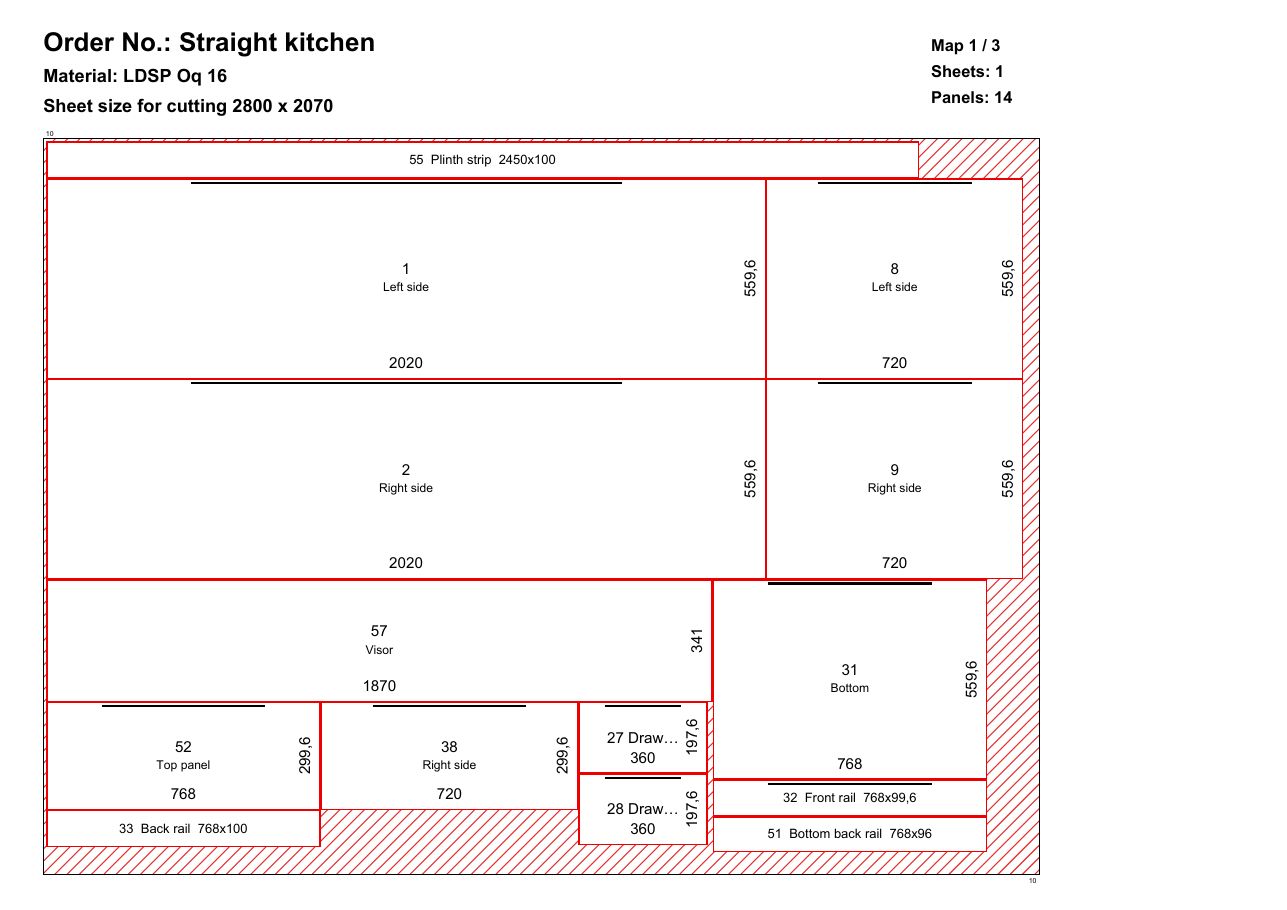
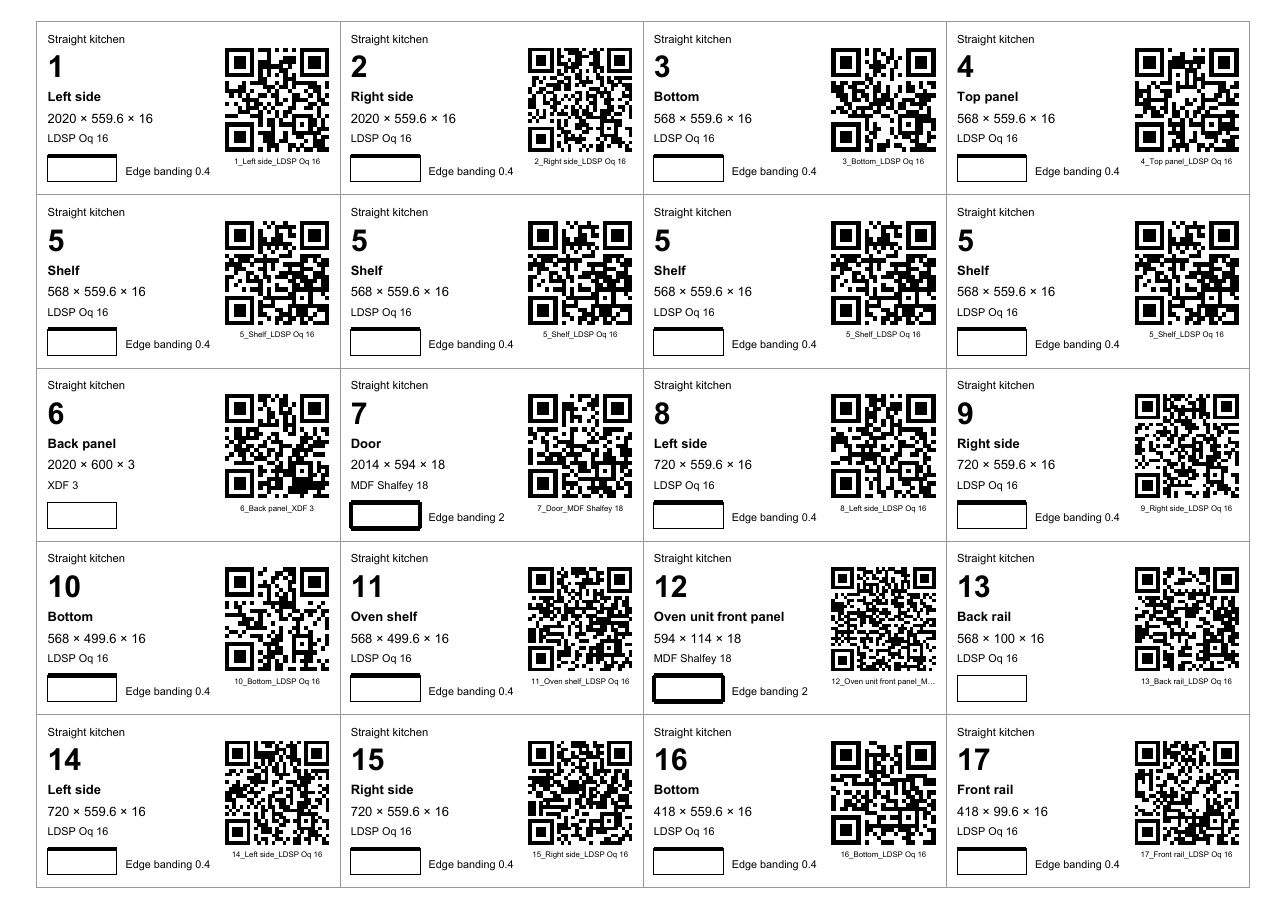
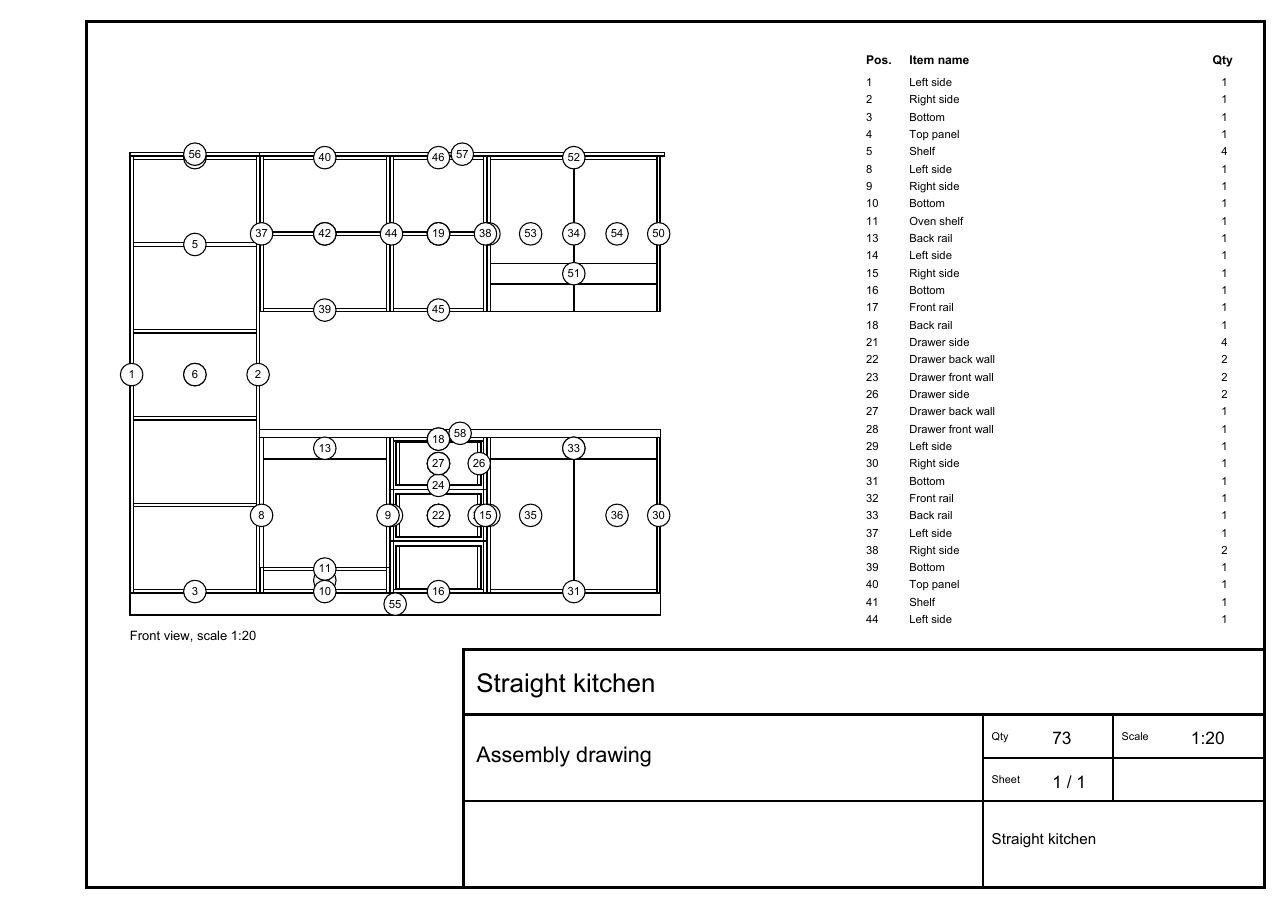

Example: a straight kitchen, 2450 mm
7,926,770 UZS
| Format | Open | Save |
|---|---|---|
| .b3d — Bazis-Mebelshchik model | ✓ | ✓ |
| .fr3d — hardware and fragments | ✓ | — |
| BAZIS-Raskroy project (XML) | — | ✓ |
| XML specification — 1C and CNC | — | ✓ |
| DXF — BAZIS-CNC layers | — | ✓ |
| BAZIS-Script (.js) — run | ✓ | — |
QAQM is an independent program, not affiliated with Bazis-Center. “Bazis-Mebelshchik” and “BAZIS-Raskroy” are named only to describe file-format compatibility.
Base, sink, drawers, oven, corner, tall, wall, wall corner, dish drainer.
Blum, Hettich, LIBRA, Boyard: holes for hinges, lifts, runners and hangers.
Confirmat, cam lock, dowel; shelf supports with spare holes.
Side-wall units turn to face the room, with a blind panel in the corner.
Built over the base units; sink and hob cut-outs centred on their unit.
In front of units on legs; longer than a sheet — split into equal strips.
Material textures, grain direction, Baltlaminat decor lookup by article.
Front, left, top and 3D at once; doors and drawers open in 3D.
Undo any step; an invalid change is refused with the reason shown.


0 UZS
600,000 UZS/ month
6,100,000 UZS/ yearBonus: save 1,100,000 UZS
QAQM is for workshops that make custom kitchens and cabinet furniture. The designer agrees the kitchen design with the client in 3D, the engineer checks parts and drilling, and the shop gets cutting maps and CNC files — all from one project.
There is plenty of furniture design software, but most of it is general and expensive. QAQM is quick at what a custom kitchen needs: units, fronts and edge banding, countertop, pricing and panel cutting.
From the order to cutting and drilling — one model, no retyping.
3D kitchen design and a price in front of the client, the quote PDF the same day.
Parts, fasteners, the 32 mm system, drawings and a bill of materials.
Full paperwork even for small jobs: cutting maps, labels, price.
Yes. .b3d and .fr3d models open for viewing, cutting and documents, and “Make editable” turns one into your own project. It saves .b3d, BAZIS-Raskroy XML, an XML specification and DXF with BAZIS-CNC layers.
Windows (64-bit), macOS (Apple Silicon and Intel) and Linux. An .msi installer for Windows, a .dmg for macOS.
With a QAQM account the assistant works without a key, within a monthly allowance. You can also enter your own Claude, OpenAI or Gemini key and pay the provider directly.
Yes. There are templates for wardrobes, chests, vanities and shelving, filling openings with shelves, doors and drawers, and free panels. Kitchens add ready units and a whole-kitchen layout form.
Yes: for the fewest sheets and the largest offcut, with edge-banding allowance and an offcut store. You get PDF maps, a BAZIS-Raskroy project and CNC DXF.
Yes. Board, edge banding, hardware and work prices come from your firm's catalogue, overhead, profit and tax are added, and the client gets a PDF quote in your currency.
Design and the 3D view work offline. Saving the project, documents (cutting maps, drawings, Bazis files, the quote), the AI assistant and the cloud need the internet: documents are made on the QAQM server and the licence is checked.
Uzbek, Russian and English. Quotes, cutting maps, labels and drawings come out in the chosen language too.
There is an Android app: project, 3D and price. A project started on the phone opens on the shop's computer through the cloud.
A user guide comes with the program. We answer questions on Telegram.